
Solar Lights Not Working? 9 Checks to Fix Them

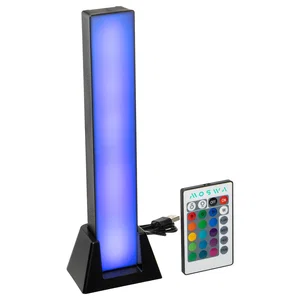
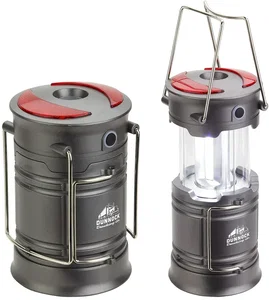
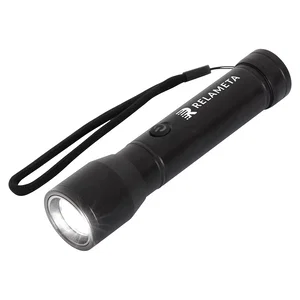


Solar lights not working usually comes down to one of nine things, and you can check them in about ten minutes. Start with the on/off switch and a thin protective film on the panel, then look at shade, the battery, corrosion, moisture and nearby lights. Most dead or dim lights are fixed by one of the first five checks, and the rest of this guide shows you which one fits what you're seeing.
Why Are Your Solar Lights Not Working? Match the Symptom
Match the symptom to the most likely cause, then jump to that check.
| What you see | Most likely cause | Go to check |
|---|---|---|
| Brand new, never lit | Film, battery tab or switch off | 1 and 2 |
| Never comes on at night | Switch, dead battery, or sensor fooled by another light | 1, 4, 7 |
| Dim all the time | Dirty or shaded panel, weak battery | 3, 4 |
| Runs a short time, then dies | Worn battery or too little sun | 3, 4, 8 |
| Flickers or cuts out | Loose battery contact, corrosion, moisture | 5, 6 |
| Comes on at the wrong time, or stays on in daylight | Sensor dirty or covered, moisture | 6, 7 |
| Works for a few weeks, then stops | Battery not holding a charge, winter shade | 4, 8 |
| Motion-sensor light never triggers | Switch mode, battery, sensor lens dirty | 1, 4, 7 |
Check 1: Is the Switch Really On?
Many solar lights have a small three-position switch, and it often sits in OFF from the factory or gets bumped during cleaning or storage. One manufacturer manual tells owners to find the OFF/W/C switch and make sure it isn't in the OFF position (XMCOSY care manual). Slide it to ON or AUTO and test in a dark room.
Check 2: Is a Protective Film or Battery Tab Still in Place?
New lights often ship with a clear film over the panel and a plastic strip under the battery. The same manual says to pull out the insulating strip at the bottom of the panel unit, and notes that a protective film on the panel "must be removed before use." If the film is stuck on, the panel can't charge properly. A manufacturer guide for a different path light also says to let the battery charge for 6 to 8 hours before first use (Sunco install guide), so give a new light a full sunny day before you judge it.
Check 3: Is the Panel Dirty or in Shade?
A dirty or shaded panel is the most common reason for dim lights. A manufacturer manual says the lights should charge in direct sunlight for more than 8 hours a day and not sit in the shadow of trees or buildings (XMCOSY care manual). Dirt matters too: a National Renewable Energy Laboratory study found pollen cut solar panel performance by as much as 15% at peak season, and rain didn't wash all of it off (NREL). If the panel looks grimy, our step-by-step guide to cleaning outdoor solar lights covers what to use and what to avoid, so we won't repeat it here.
Check 4: Is the Battery the Right Type, and Is It Worn Out?
If the panel is clean and the light still fails, the battery is the next suspect. Most solar lights hold a small rechargeable nickel metal hydride (NiMH) battery. Energizer's NiMH handbook says these batteries can be recharged hundreds of times, but their life is limited to 5 years or less (Energizer NiMH handbook). A light that once ran all night and now dies after an hour or two is the classic sign.
To swap it:
- Switch the light off and open the battery cover.
- Replace it with a rechargeable of the same size, voltage and chemistry. One manual specifies a 1.2V AA rechargeable and says to insert it with the correct polarity (XMCOSY care manual).
- Don't use ordinary alkaline batteries, and don't mix old and new or different types. The same manual warns against both.
- Put the light in full sun for a day before testing.
Check 5: Any Corrosion on the Battery Contacts?
A white or green crust on the metal contacts can break the connection, which causes flickering or a light that won't turn on. Wipe it off with a cotton swab and a little white vinegar, dry everything, and refit the battery. Our cleaning guide shows the steps in detail. If the contact springs are rusted through, that light is usually past saving.
Check 6: Is There Water Inside?
Fog, droplets or a puddle under the lens means water got in, and moisture can cause flickering, odd on-and-off behavior or a dead light. Switch it off, take out the battery, and let the parts dry fully in a warm, dry spot. Check the seams and seals before you put it back. A light that has been fully soaked, or one that fogs up again, is often not worth fixing. Many cheaper models aren't truly waterproof, so check the rating on the packaging.
Check 7: Is Another Light Fooling the Sensor?
A solar light decides it's night with a small light sensor (a photocell). If a streetlight, porch light or garage light shines on it, the light thinks it's still day. One manufacturer says to place lights away from these sources and offers a quick test: cover the photocell, and if the light comes on, relocate it away from the other light (Gama Sonic). Another says to make sure the light isn't under a porch or street light at night (Sunco install guide). Also wipe the sensor window itself with a barely damp cloth.
Check 8: What Should You Expect in Winter or on Cloudy Days?
A light can be perfectly healthy and still run short in winter. The U.S. Department of Energy notes that places in the middle latitudes, like most of the U.S., receive more solar energy in summer, and that thick cloud can cut direct sunlight by up to 100% (DOE solar radiation basics). Shorter days also mean less charging and a longer night to cover. Cold affects the battery as well: Energizer says NiMH batteries work from 0 to 50°C with reduced capacity at the ends of that range (Energizer NiMH handbook). Brush snow off the panel, and if the lights are portable, one manual advises bringing them indoors in extreme weather (Sunco install guide).
Check 9: When Should You Replace the Light?
Replace the whole light when the panel is cracked or deeply clouded, the housing has water damage that keeps coming back, the contacts are rusted away, or a new battery doesn't bring it back after two sunny days. Fixing a cheap light can cost more time than it's worth. When you do replace it, check the battery is a standard size you can buy again.
Flowchart: Which Check Fixes Your Light?
Work down this table and stop at the first row that solves it.
| Step | Ask yourself | If yes | If no |
|---|---|---|---|
| 1 | Is the switch ON and is any film or battery tab removed? | Go to step 2 | Fix it, charge a full day, retest |
| 2 | Is the panel clean and in direct sun for most of the day? | Go to step 3 | Clean it or move the light, retest in two days |
| 3 | Does the light come on when you cover the panel and sensor with your hand? | Go to step 4 | Replace the rechargeable battery (check 4), clean contacts (check 5) |
| 4 | Does it stay dark outdoors at night but work when covered? | Another light is fooling the sensor: move it (check 7) | Go to step 5 |
| 5 | Is there fog, water or rust inside? | Dry it or replace the light (checks 6 and 9) | Go to step 6 |
| 6 | Is it winter, cloudy, or is the battery older than a few years? | Expect short runs, or replace the battery (checks 4 and 8) | Replace the light (check 9) |
How Do You Dispose of an Old Solar Light Battery?
Don't put rechargeable batteries in the trash or the curbside recycling bin. The EPA says removable rechargeable batteries can go to specialized battery recyclers, retailers with take-back programs or local household hazardous waste programs, and points to Earth911 and Call2Recycle to find a drop-off (EPA). Tape the terminals or bag each battery separately first.
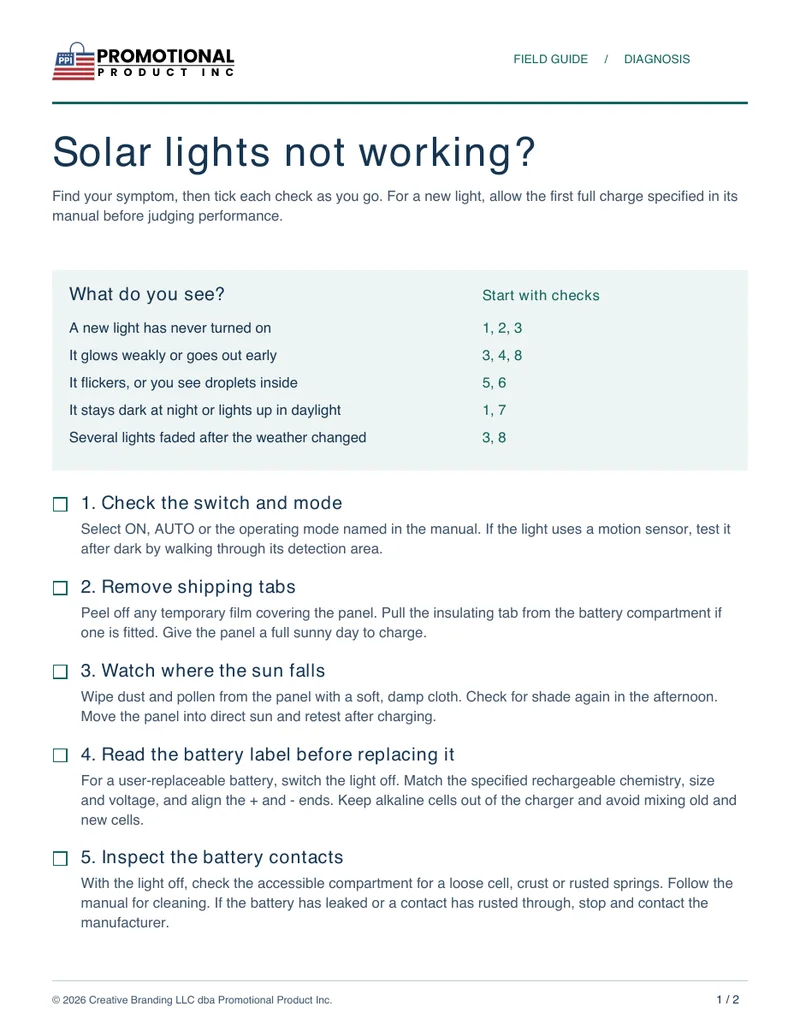
Download the Solar Light Troubleshooting Checklist
Want the nine checks on paper? Print the two-page guide, tick each box as you work through your lights, and keep it in the garage or shed for next season.
Free download: Solar Light Troubleshooting Guide
Two pages: a symptom table that points you to the right checks, nine tick-box steps, and where to take an old battery.
Open the free PDF2 pages, US Letter. Opens in a new tab to print or save.
Did You Know?
- Dirt alone can cut a panel's output. National Renewable Energy Laboratory researchers found solar panel performance fell by as much as 15% during peak pollen season, and rain did not wash it all away (NREL).
- Some batteries must stay out of the trash. The EPA says certain batteries should not go in household garbage, which includes many of the rechargeable batteries inside solar lights. Check its guidance before you toss an old one (EPA).
Frequently asked questions
Why are my solar lights not working at night?
Four causes cover most cases: the switch is off, the battery is worn, the panel didn't get enough sun, or a nearby light is fooling the sensor. Cover the sensor with your hand during the day. If the light comes on, the sensor and battery are fine and the cause is shade or another light.
How long do solar light batteries last?
Energizer's NiMH handbook says the battery life of these rechargeables is limited to 5 years or less, and one retailer's troubleshooting page puts it at roughly 1 to 2 years for solar batteries (Festive Lights). Heavy daily use and heat shorten that, so a light that dies early after a couple of years likely needs a new battery.
Why do my solar lights stop working in winter?
Less sun, shorter days, cloud and cold all cut the energy available to charge the battery. The U.S. Department of Energy says middle-latitude areas get more solar energy in summer. Brush off snow and expect shorter run times until spring.
Can I use regular batteries in solar lights?
No. Use the rechargeable type printed in the manual, usually NiMH. One manufacturer manual warns against mixing alkaline, standard and rechargeable batteries, and against mixing old and new ones.
Why do my solar lights stay on during the day?
Usually the sensor is covered, dirty, or damaged by moisture. Wipe the sensor window gently and check for water inside. If it still stays on, the light has probably failed.
Do solar lights need to be turned off to charge?
It depends on the model. Usually not. One manufacturer manual says its light charges fully in the sun with the switch in an ON position, but instructions differ by model, so check yours.
Keep Reading
- How to clean outdoor solar lights has the step-by-step cleaning routine.
- How to wash a tote bag is another how-to guide for everyday promotional items.
The Short Version
Check the switch, then the shipping film, then the panel and its sun. If the light still won't run, replace the rechargeable battery with the same type before you give up on the fixture. Move the light if a streetlight or porch light is fooling its sensor, and don't judge it in the dead of winter. When a light is cracked, soaked or won't revive after a new battery and two sunny days, replace it.
If you're looking for light-up gear to put your own logo on, browse our light-up products and custom outdoor lanterns, and read the care information on each product page before you order.
AI tools were used to help research and draft parts of this post. Like every post we publish, it is reviewed by its author and peer-read by our team before it goes live.
Shop Related Categories
Share this post with your team
Send it to a colleague or save it for later.
Related Articles

How to Wash a Tote Bag by Material (Canvas, Jute, Non-Woven)
How to wash a tote bag without shrinking it or cracking the logo: what works for cotton canvas, jute, non-woven and polyester totes, plus stains, drying and odors.

Employee Appreciation Ideas: 60 Ways to Say Thanks
Employee appreciation ideas sorted by day, budget, theme and team size, plus a one-week plan if Employee Appreciation Day sneaks up on you.
Planning a Class Reunion: Timeline, Ideas and Checklist
Planning a class reunion? Get a 12-month timeline, class reunion ideas for the 10th through the 50th, themes, name tags, shirts and favors, plus a quiz and a free checklist.

Custom T-Shirt Cost: What Drives the Price and How to Pay Less in Bulk
What sets the price of a custom T-shirt, how quantity breaks work, how to read a price table, twelve ways to pay less, and a copy-ready quote request with a free printable worksheet.